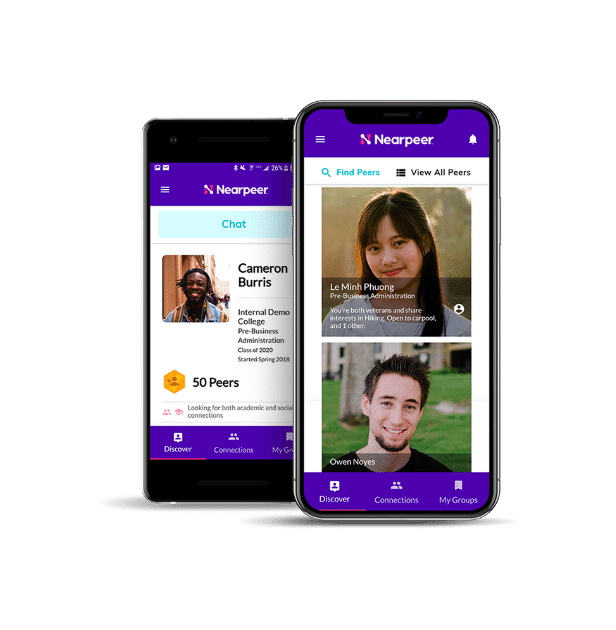
Starting college is exciting—and it’s even better when you already have friends by your side. That’s why Rose-Hulman is introducing Nearpeer, a free and private online community designed just for our newly admitted students and their families.
With Nearpeer, you can:
-
Find your people: Connect with future classmates who share your interests, academic goals, or hometown.
-
Build friendships early: Chat one-on-one, join groups, or make plans for study sessions, meetups, or even a roommate connection.
-
Ask questions & get support: Connect with other admitted students and start learning more about Rose-Hulman life before you arrive on campus.
Whether you’re looking for a study partner, a future intramural teammate, or simply someone who understands your excitement, Nearpeer makes it easy to start building your Rose-Hulman community—before your first day of class.
Getting Started with Nearpeer
Step 1: Watch your inbox for an email invitation to join Nearpeer (usually sent within a few days of your admission). Be sure to check the email address you used on your Rose-Hulman application.
Step 2: Follow the link in the invitation to create your Nearpeer account.
Step 3: Set up your profile by adding your academic interests, hobbies, and background. This helps Nearpeer match you with other future Fightin’ Engineers who share your interests.
Step 4: Download the free Nearpeer app from the Apple App Store or Google Play Store and log in.
Start Connecting
-
Browse and join groups based on majors, hobbies, or campus activities.
-
Meet classmates from your hometown or region.
-
Find a study buddy, workout partner, or even a potential roommate.
-
Send a quick hello and start building your Rose-Hulman network today.