-
Write a program,
funcPlot.py, that implements the following design:- Prompt the user for a file name
- Open a file with the given name
- Display a graphics window with width 720 and height 400.
- Read each line from the file. For each line, plot a point on the graphics window. You should assume the lines have the format specified in funcDump (treat the first number as the x coordinate and the second number as the y).
- Close the file
-
Test your program using your
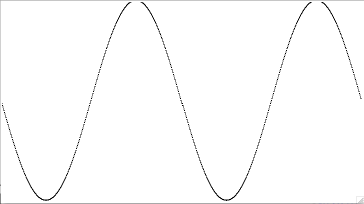
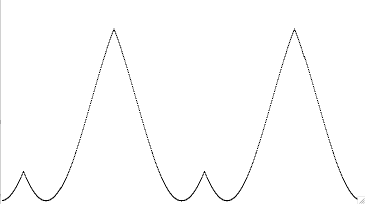
cos.txtoutput from funcDump. (Note: you must placecos.txtin the same folder asfuncPlot.pyto read it.) You may also test using the sample outputs for different functions below. (You could fix this, based on GraphWin's setCoords() method, but you don't need to do so.) - Submit your Python source file to the funcPlot Drop Box in the Homework 6 folder on ANGEL.
(10 points) Challenge Problem: This problem is not required, but is an interesting extension that you might like to try.
- Create a version of funcPlot.py that rather than just plotting points, draws lines between consecutive points.