- Note: There is no reading in Zelle for this homework
- As an example, here is what the function call:
circleOfCircles(win, 12, Point(200, 200), 100, 15)should produce.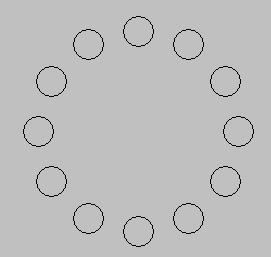
- Checkout the DistanceTraveled
project from your SVN repository.
- You can do this project by yourself or with a partner. If the latter, be sure to put BOTH names at the top of the project that you turn in (via Team → Commit).
- Run the program —
it should display a window like the picture below and it should ask you to enter your com port in the console window.
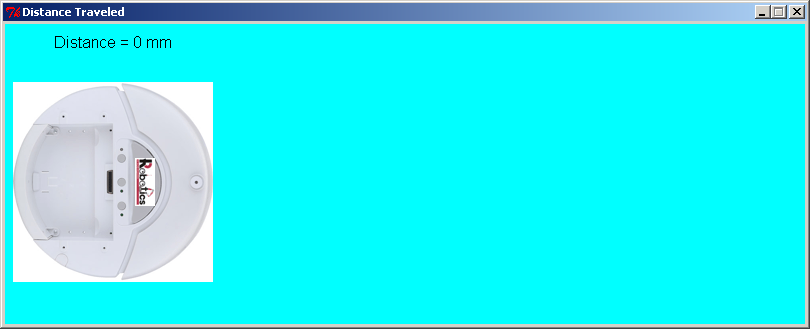
- Some students have reported problems displaying this image. If that happens to you, replace the Image with a Circle and alert your instructor to the problem.
- Read the program to see what code is already included. You will see that the program already:
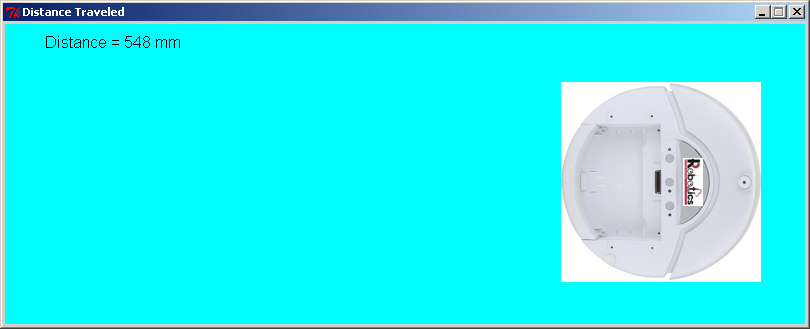
- Creates a GraphWin and draws an image of the Create robot on the GraphWin.
- Displays a Text message on the GraphWin — in the next step, you will set the text of that Text object to show the distance that the robot has traveled.
- Constructs a Create based on the com port the user enters.
- Starts the Create moving at a slow speed (13 mm/sec, you can play around with different speeds if you like).
- Runs a loop that goes 30 times (you can play around with that number too if you like), with a sleep(0.1) each time through the loop (so about 3 seconds of run time).
- After about 3 seconds, stops the robot and shuts it down.
Ask questions as needed about the code that you are given.
- Your task is to put code in the loop so that:
- You obtain the sensor reading for the distance traveled.
- See the PyCreate documentation for how to obtain sensor readings.
- You display the total distance traveled in the Text object that you were given.
- You move the image of the Create in the GraphWin an appropriate amount.
- If either of the front bumpers are bumped, make the robot do a 180 degree turn and continue in the opposite direction.
- In this case, the image of the Create should also reverse direction (you can continue to use the same image, however). The total distance traveled reported in the Text object should continue to increase despite the change in direction.
- You obtain the sensor reading for the distance traveled.
-
When you are finished make sure to commit your code to the repository.
A finished robot run might look like this: