
This page gives instructions for installing Haskell on Windows or Mac while on campus using a local copy of the Haskell Platform. If you are off-campus or installing on a Linux distro, you probably want to go directly to the the Haskell Platform website. Then come back here and try the steps to verify that your installation is working.

.dmg) and follow the instructions.
Follow these steps to verify that your installation is working:
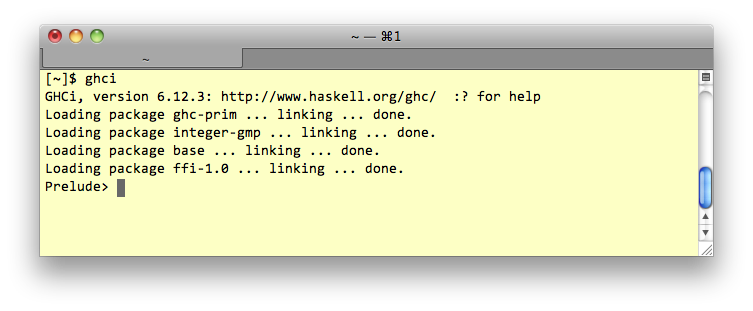
Launch GHCi. (On Windows, you probably want Windows Menu → GHCi. Mac and Linux user can just type ghci at a shell prompt.) You should get a prompt like in the figure below.
Prelude> prompt, enter 6 * 7 and press enter. You should get the answer.
:type "Hello, world" Note that you must type the leading colon before the word “type”. You should get back "Hello, world" :: [Char].
:quit to exit.
Create a directory to store your Windows ghci configuration file. On Windows 7, the directory you create should be C:\Users\<UserName>\AppData\roaming\ghc.
(On Windows XP create C:\Documents and Settings\<UserName>\Application Data\ghc.)
ghci.conf.
:set editor "C:\Program Files\Notepad++\Notepad++.exe"
:cd <full path to the folder where you will put Haskell files>
being sure to
:
You can verify that this worked by quitting and relaunching ghci, then entering the following commands at the prompt:
Prelude> :!chdir
should display the path to your working folder
Prelude> :edit foo.hs
should launch Notepad++ for editing a new file named foo.hs
Note: Launch Notepad++ before you launch ghci, that way ghci won't block waiting for Notepad++ to exit.
:quit to exit GHCi, and enjoy a refreshing beverage.